I recently chatted with a core developer of the Polkadot project and was shocked to hear that their project was recently hacked. This is a project with a market value of over 100 million yuan, calculated according to the offshore RMB exchange rate (1 to 7.2). Fortunately, they integrated the safe mode pallet in the Runtime. After entering the safe mode in time, all subsequent attack transactions were rejected. Let us understand this pallet worth over 100 million yuan from a technical perspective.
The Safe Mode Pallet aims to provide a mechanism for Substrate-based blockchains to temporarily restrict all transactions (extrinsics) except for a specific whitelist . This is particularly important when the network needs to be protected from potential threats or critical updates. Entering safe mode can be done through a privileged account, or by depositing a certain amount of assets. Exit can be automatically executed after a locked block, or a special account can initiate a transaction to exit.
Key Features
Enter safe mode:
No permission to enter: Any user can enter safe mode by depositing a deposit. The duration of safe mode is defined by the EnterDuration configuration item.
Privileged entry: Specific privileged accounts can force the blockchain into safe mode for a duration defined by a configuration item.
Extended Safe Mode:
Permissionless extension: Users can extend the duration of safe mode by depositing additional deposit. The extended duration is defined by the ExtendDuration configuration item.
Privileged extension: Privileged accounts can also extend the duration of safe mode.
exit safe mode:
Automatic exit: When the current block number exceeds the EnteredUntil value, safe mode will automatically exit.
Force exit: Privileged accounts can force the network to exit safe mode.
Deposit management:
Deposit: Users pledge their funds when entering or extending safe mode.
Release deposit: The deposit can be released after a certain delay or forced by a privileged account.
Deposit Reduction: The Privileged Source can impose penalties on deposits when necessary.
Event Notifications: Pallet emits various events to notify the network of entering, extending, or exiting safe mode, as well as deposit-related operations.
Configuring Traits
The Pallet is highly configurable through the following traits:
RuntimeEvent: Defines the overall event type.
Currency: Specifies the currency type used for the deposit.
RuntimeHoldReason: Defines the reason for holding funds.
WhitelistedCalls: Contains all runtime calls that are still executable in safe mode.
EnterDuration and ExtendDuration: Define the duration for entering and extending safe mode.
EnterDepositAmount and ExtendDepositAmount: Specify the deposit amount for entering and extending safe mode.
ForceEnterOrigin, ForceExtendOrigin, ForceExitOrigin, and ForceDepositOrigin: Defines the accounts that can force entry, extension, exit, or manage deposits.
Notify: Notify other Runtime processing logic when entering or exiting safe mode.
ReleaseDelay: defines the shortest release time of the deposit after reservation.
Transaction details
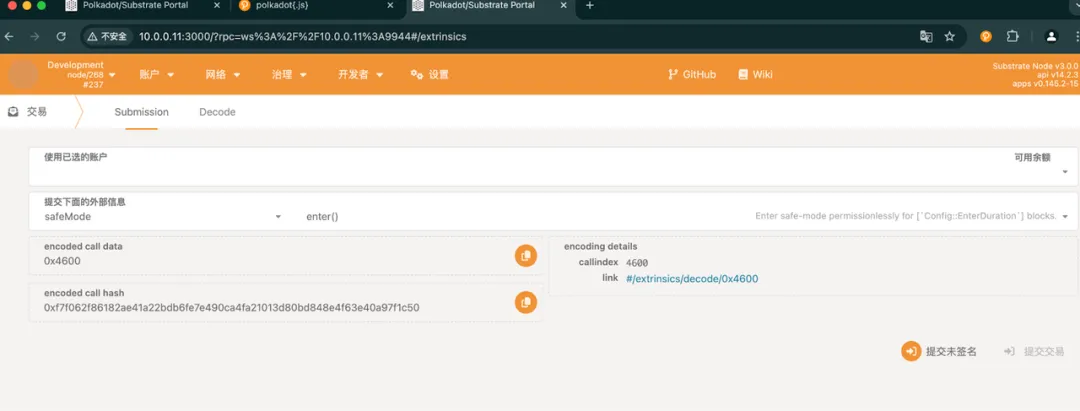
enter:
Description: Enter safe mode without permission, the duration is the number of blocks defined by the EnterDuration configuration item. This transaction will investigate the hold method of Currency to lock the user's assets.
Parameters: origin (any normal account).
Note: You need to ensure that the caller has enough assets to pay the deposit. The parameter is EnterDepositAmount.
force_enter:
Description: Privileged entry into safe mode, duration is defined by privileged account configuration item, and can be different from that of normal account. It comes from a parameter of ForceEnterOrigin.
Parameters: origin (privileged account, defined by ForceEnterOrigin).
Note: Only privileged accounts can call this function .
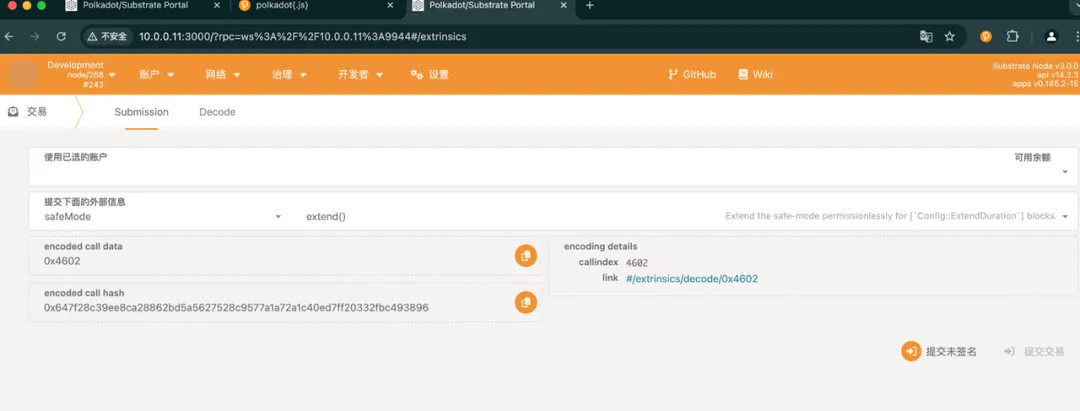
extend:
Description: Unauthorized extension of safe mode for the number of blocks defined by the ExtendDuration configuration item.
Parameters: origin (the origin of the caller).
Note: You need to ensure that the caller has sufficient deposit.
force_extend:
Description: Privileged extended security mode, the duration is defined by the privilege source configuration item.
Parameters: origin (privileged origin).
Note: Only privileged sources can call this.
force_exit:
Description: Privileged exit from safe mode.
Parameters: origin (privileged origin).
Note: Only privileged sources can call this.
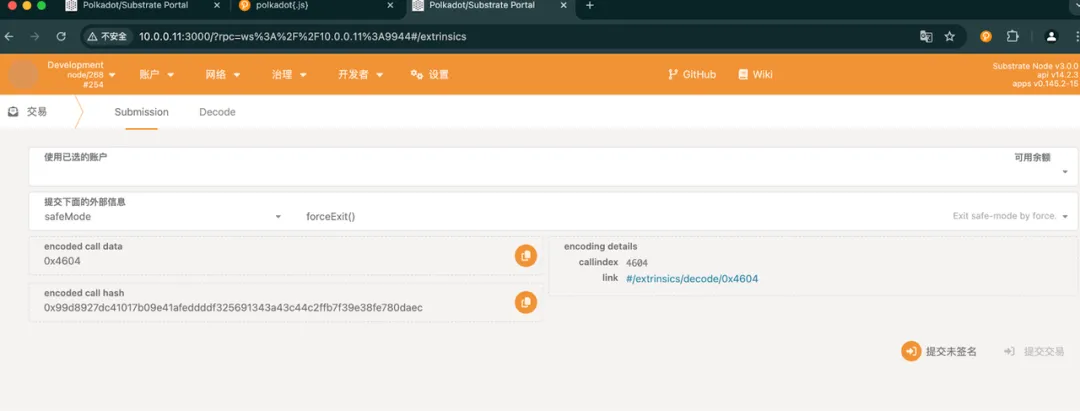
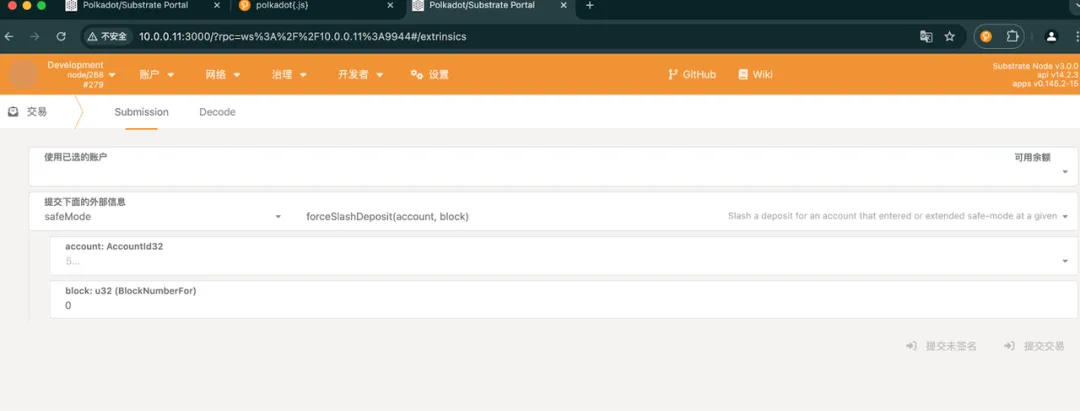
force_slash_deposit:
Description: Reduce the deposit of the specified account in a specific block.
Parameters: origin (privileged source), account (account), block (block number).
Note: Only privileged sources can call this.
release_deposit:
Description: No permission to release the deposit of the specified account in a specific block.
Parameters: origin (the origin of the caller), account (account), block (block number).
Note: You need to ensure that safe mode has been exited and the delay time has expired.
force_release_deposit:
Description: Privilege to release the deposit of the specified account in a specific block.
Parameters: origin (privileged source), account (account), block (block number).
Note: Only privileged sources can call this.
Usage scenarios
Assuming that the blockchain network detects a potential security threat, people with privileged accounts can use the Safe Mode Pallet to quickly restrict the execution of all non-whitelisted transactions, thereby mitigating the risk. Of course, after the network is decentralized, this account may be removed. Then there can also be some accounts with a certain proportion of assets to initiate, such as the fund account established by the project. Here are the steps to use:
Enter safe mode:
A user or administrator calls the enter function to activate safe mode by depositing a deposit for a predefined number of blocks. Alternatively, a privileged source can call the force_enter function to immediately activate safe mode for a duration defined by a configuration option.
Extended Safe Mode:
If the threat persists, the user can call the extend function to extend the duration of safe mode by depositing an additional deposit. Privileged sources can use the force_extend function to extend the duration without requiring a deposit.
exit safe mode:
Once the threat is resolved, a privileged source can call the force_exit function to exit safe mode. If no action is taken, safe mode will automatically exit after a predefined duration.
Management deposit:
The user can release the deposit by calling release_deposit function after the delay time has passed after exiting safe mode. Privileged sources can force the release or reduction of deposits when necessary.
Precautions
Configuration: Make sure configuration traits are set correctly to match network requirements. Misconfiguration can lead to unexpected behavior.
Deposit Management: Carefully set deposit amounts and release delays to avoid locking up user funds unnecessarily.
Event handling: Monitor events emitted by Pallet, understand the security mode status in a timely manner and take appropriate actions.
Security: Regularly audit Pallets and their configuration to ensure they meet security standards and do not introduce vulnerabilities.
By understanding and correctly configuring the Safe Mode Pallet, network administrators can effectively manage and mitigate risks to ensure the stability and security of the blockchain network. Other parties associated with the project, if they have certain assets and discover risks, can also initiate transactions to protect the network from attacks.
Disclaimer
The materials provided by PaperMoon and included in this article are for educational purposes only. They do not constitute financial or investment advice and should not be interpreted as guidance for any business decision. We recommend that readers conduct independent research and consult professionals before making any investment or business-related decisions. PaperMoon assumes no liability for any actions taken based on the contents of this article.
The 16th Substrate introductory course has started!
Developers are welcome to sign up
Mastering Substrate will not only allow you to experience the technical power of Web3 industry development up close, but also take you to the forefront of Polkadot's ecological innovation. The 16th "Substrate Development Introduction and Project Practice" course jointly created by OneBlock+ and Polkadot has opened registration. The course started on November 29 (the course is free, please fill in the registration form as soon as possible)!
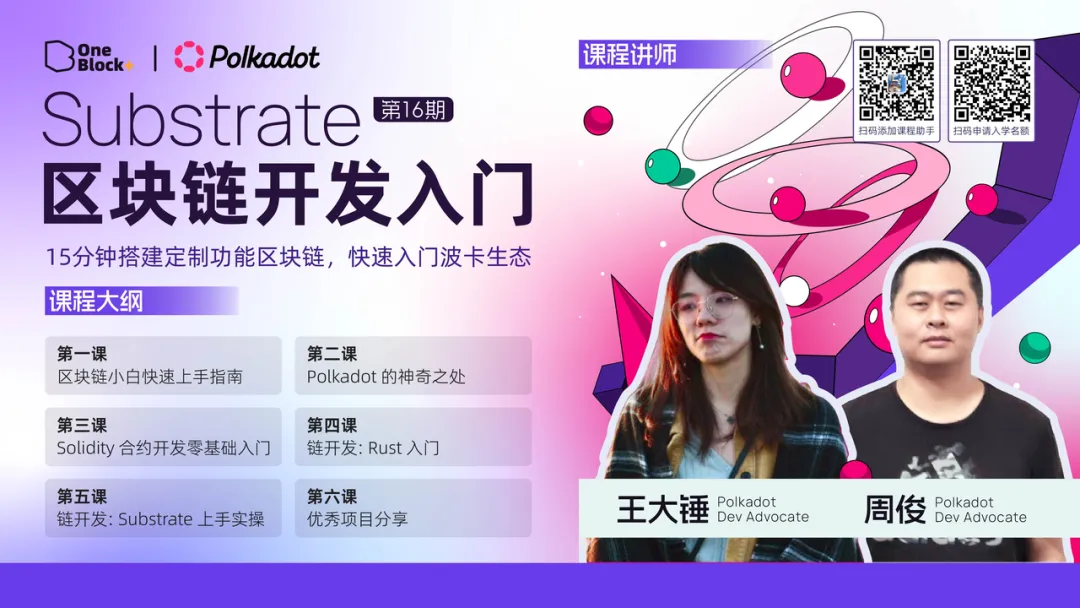
The video content of this course will be optimized on the basis of the original six classes, with an additional project sharing section. In addition, excellent projects in the Polkadot ecosystem will be arranged for technical sharing! The course will arrange tasks, office hour Q&A and other sections to help everyone consolidate what they have learned. Students with the highest homework scores will have 1-on-1 consultation opportunities with industry leaders . In addition to formal course learning, course instructors will occasionally output technical articles to help everyone learn new knowledge, and there will be 1-2 AMA online live broadcasts to lead everyone to gain insight into the Polkadot ecosystem and Substrate technology . Whether you hope to make a breakthrough in the blockchain field or are eager to stand out in this emerging industry, this course will be a solid step towards your success.